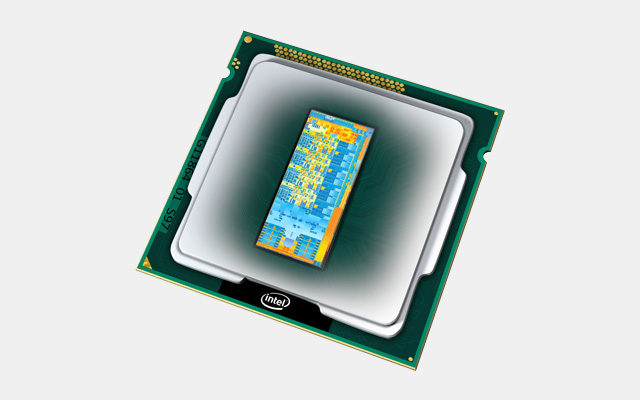
What is a processor that runs inside of a computer? The processor is listed with every computer you see in a computer or electronics store. The processor is also always mentioned with an advertisement or a folder. But what is it? Why is it so important? And how can you tell from an advertisement what a slow, efficient or a super-fast processor is?
In this article, I will explain more about it to you. I will also tell you what is useful to know when you are going to buy a computer.
It is an indispensable part of a computer. It largely determines the performance of your computer. And you really need it, because without a processor a computer will not work. The computer will not even startup. A processor is also known as the central processing unit. In English, it is a Central Processing Unit, abbreviated CPU.
Table of Contents
Processor: Heart of the computer
The processor is also referred to as the heart of the computer. This main chip is responsible for all calculations and controls that take place on a computer.
The faster a processor is, the more calculations and controls can be processed per second. So the more tasks the processor can do per second, the faster your computer is.
As a result, he largely determines the speed of a computer. Of course, there are also other factors that determine the speed of your computer. For example, the speed of your storage device as a hard disk (HDD), SSHD or SSD. And the speed of your working memory.
It is therefore very important to look at the processor when purchasing a computer. That is why it is also mentioned with every computer.
Speed of a processor 
There are a number of factors that determine the speed of a processor.
- Number of processor cores (Cores)
- Clock speed (GHz)
- Cache memory (MB)
- Smart techniques (Turbo Boost, Hyper-Threading)
- Number of processor cores
Until a few years ago, a processor was just one processor. Nowadays, there can be several processor cores (Cores) in one processor. If there are two processor cores in a processor, we call this a Dual-Core processor.
With four processor cores in a processor, we call this a Quad-Core processor, and with six processor cores in a processor, we call this a Hexa Core processor. The advantage of multiple processor cores is that the processor can work with multiple tasks at the same time. So a Quad-Core processor with four processor cores can do four tasks at the same time. The more processor cores a processor has, the faster a processor is. In most processors that are made for consumers, you will find 2 or 4 processor cores.
Clock speed
The clock speed is an expression of how many tasks a processor core can do in 1 second. The clock speed of a processor is expressed in Hz (Hz) and indicates how often the processor can perform a calculation or control per second. The processors have become so fast that today we indicate in Giga Herz (GHz) what the clock speed of a processor is. The speeds of a processor are nowadays between 1.0 GHz and 4.0 GHz. The higher this number, the more tasks a processor can do per second. Do not be guided by the clock speed alone! Other things can also make a processor faster with the same or lower clock speed. The clock speed says a lot about performance but not everything.
Cache memory
One of those things is the cache that is in a processor. To be able to do calculations, the processor needs data to get started. This must get the processor from somewhere. To achieve this as quickly as possible, a piece of memory has been placed in the processor. This is called cache memory. Not to be confused with the working memory. The larger the cache memory, the more data the processor has at hand quickly.
Other smart techniques 
The processor has Hyper-Threading_Apart from these two basic factors, and there are a lot of other things that affect the performance of a processor. In recent decades, several smart techniques have been devised to make a processor even faster and more efficient than just based on clock speed and cache memory.
An example of this is the Hyper-Threading technique with which the processor can perform two calculations simultaneously. Turbo boost to temporarily make a processor run faster (increase clock speed) for as long as necessary and possible (too much heat).
More information about all these variables with an Intel Core processor I have described in the article: Why is one Core I processor faster than the other?
Which processors are there?
Intel & AMD Currently, there are two manufacturers that sell the most processors for computers, Intel and AMD.
Intel can be seen as the Ferraris among the processors. They are super fast but do not provide the best price/quality ratio. AMD can be compared to the Volkswagen among the processors. They are built solid and have an excellent price/quality ratio. Currently, the Intel Core I is Intel’s primary processor for the consumer.
